3-day free trial · iPhone · No typing between sets
Say your sets.
SayLift logs them.
Finish training, hold the mic, and talk through what you lifted. SayLift’s AI turns one spoken sentence into a fully logged workout: every exercise, set, rep and weight. Then it tells you what to lift next time.

On a computer? Scan this and SayLift opens on your phone.
“”
Your workout is taking shape…
A gym app that keeps up with you
Four screens, straight out of the app. No mockup polish and no invented numbers. This is what it looks like after a few weeks of training.
Today
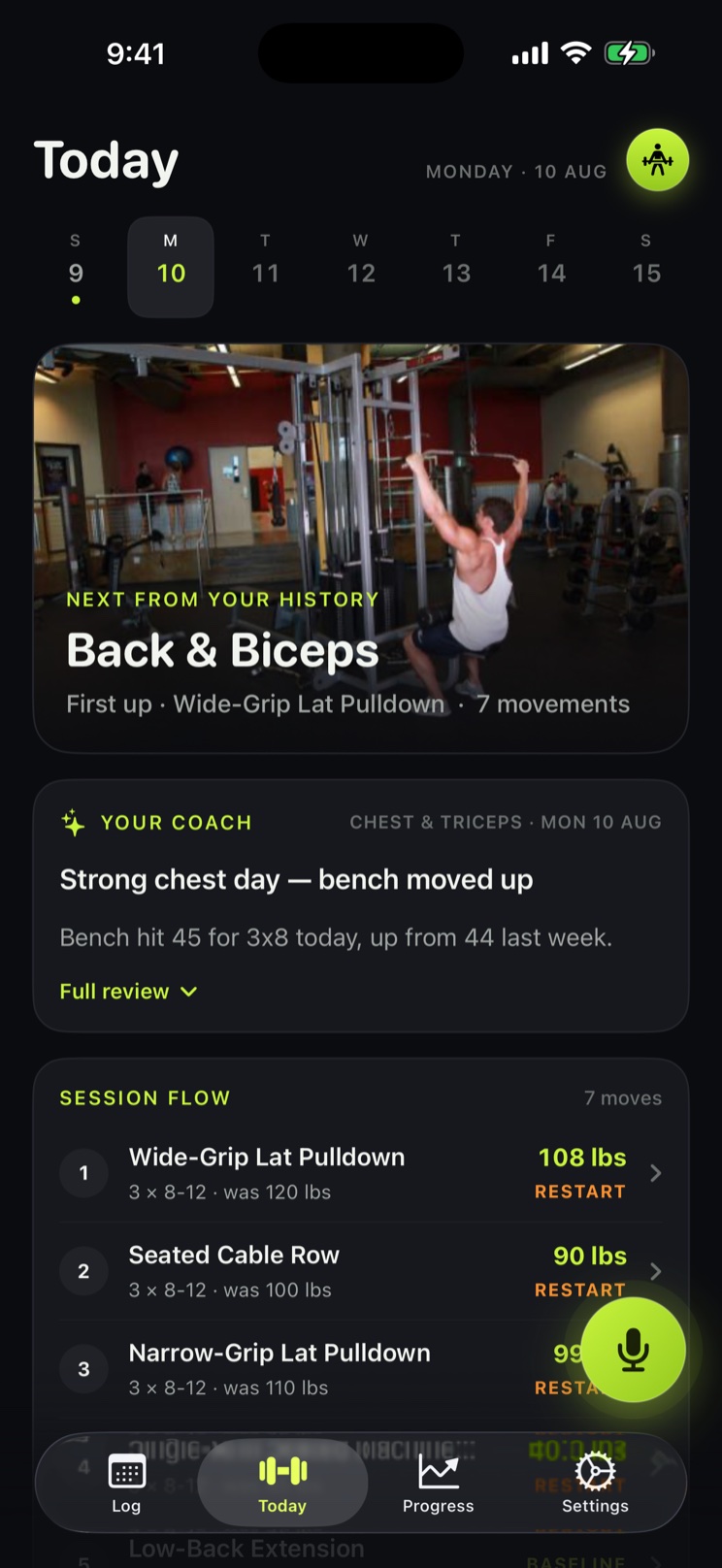
Your session, already decided
The coach reads what you actually lifted and puts a working weight against every movement before you start.
Voice logging
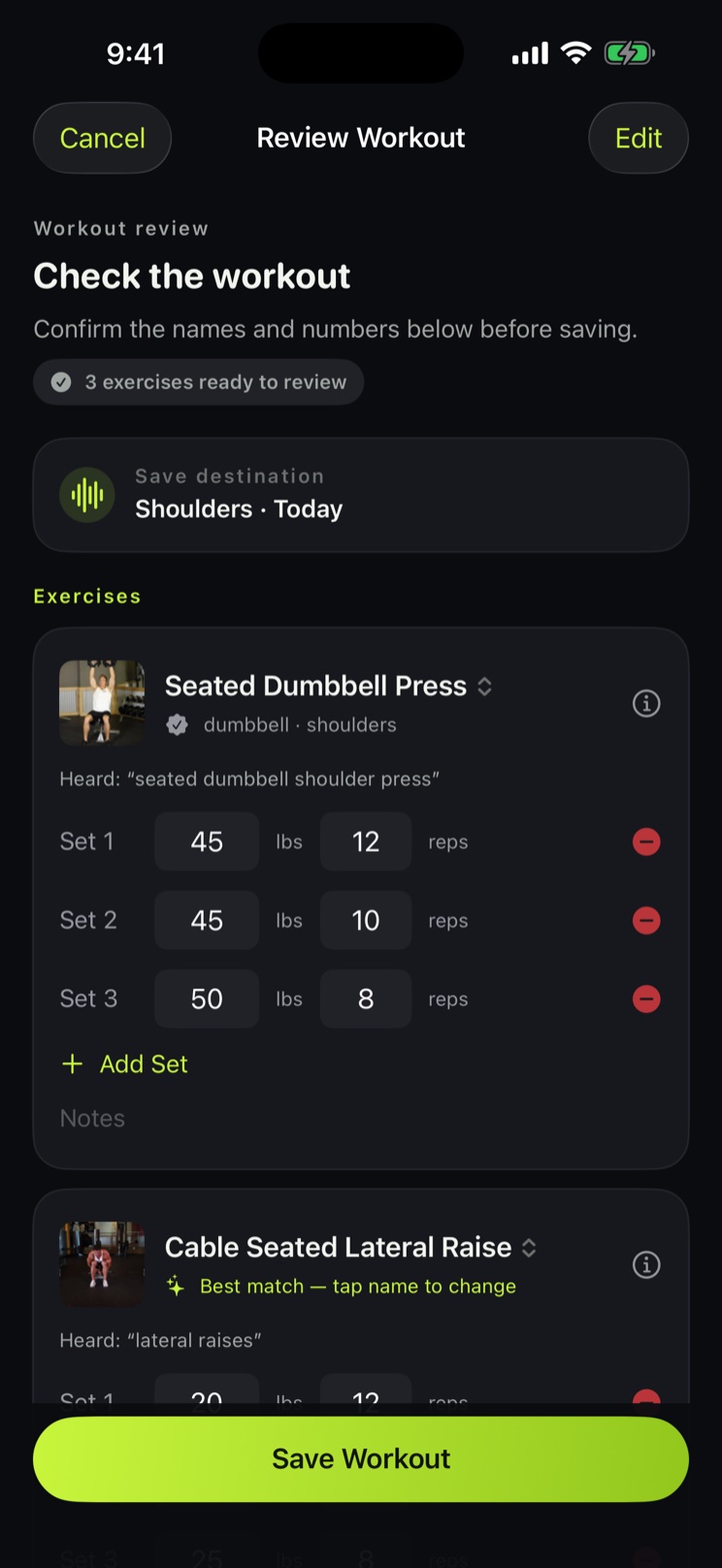
You talk. It writes.
Say the session out loud and check it here. Every set the AI heard, editable, before anything saves.
Log
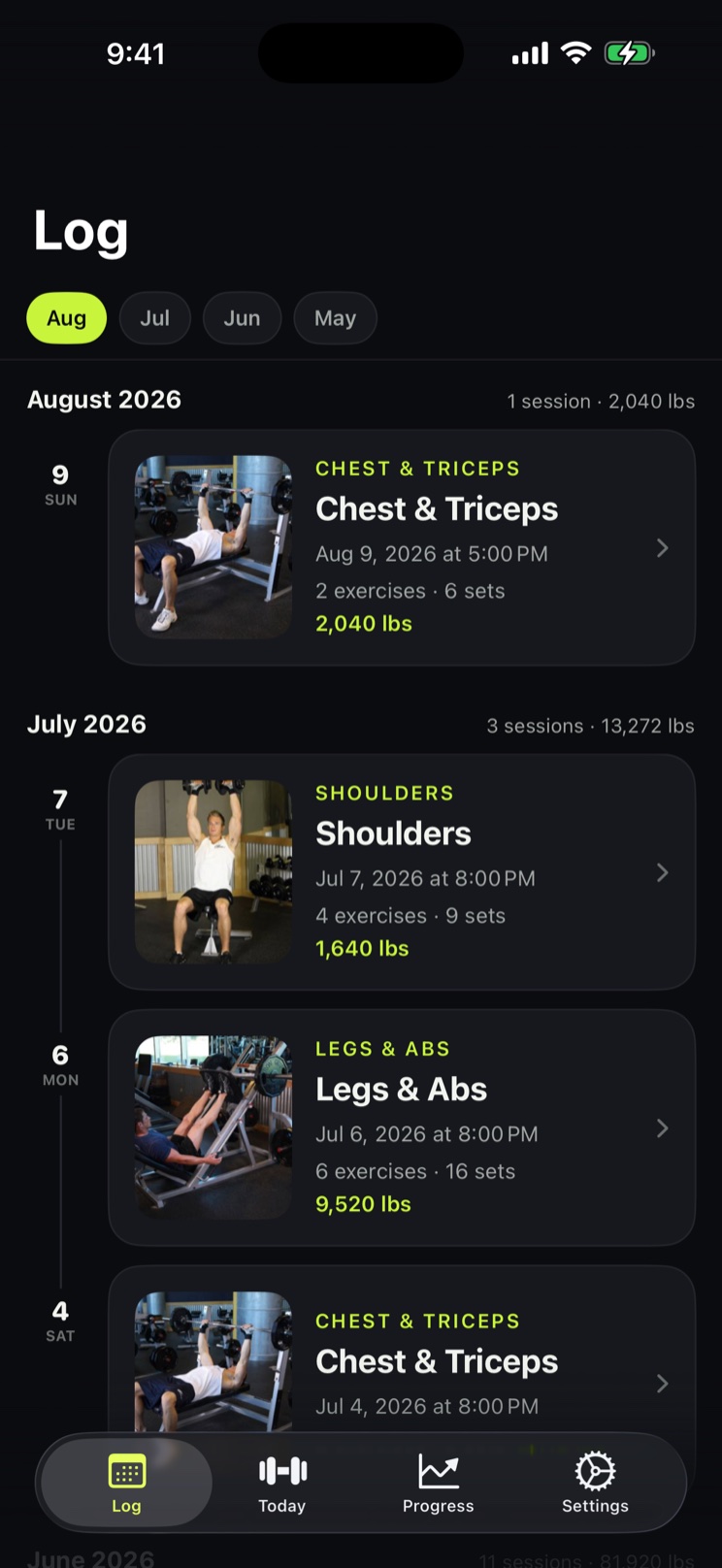
Every session, by month
Your whole training history on a timeline, with the volume you moved in each session and each month.
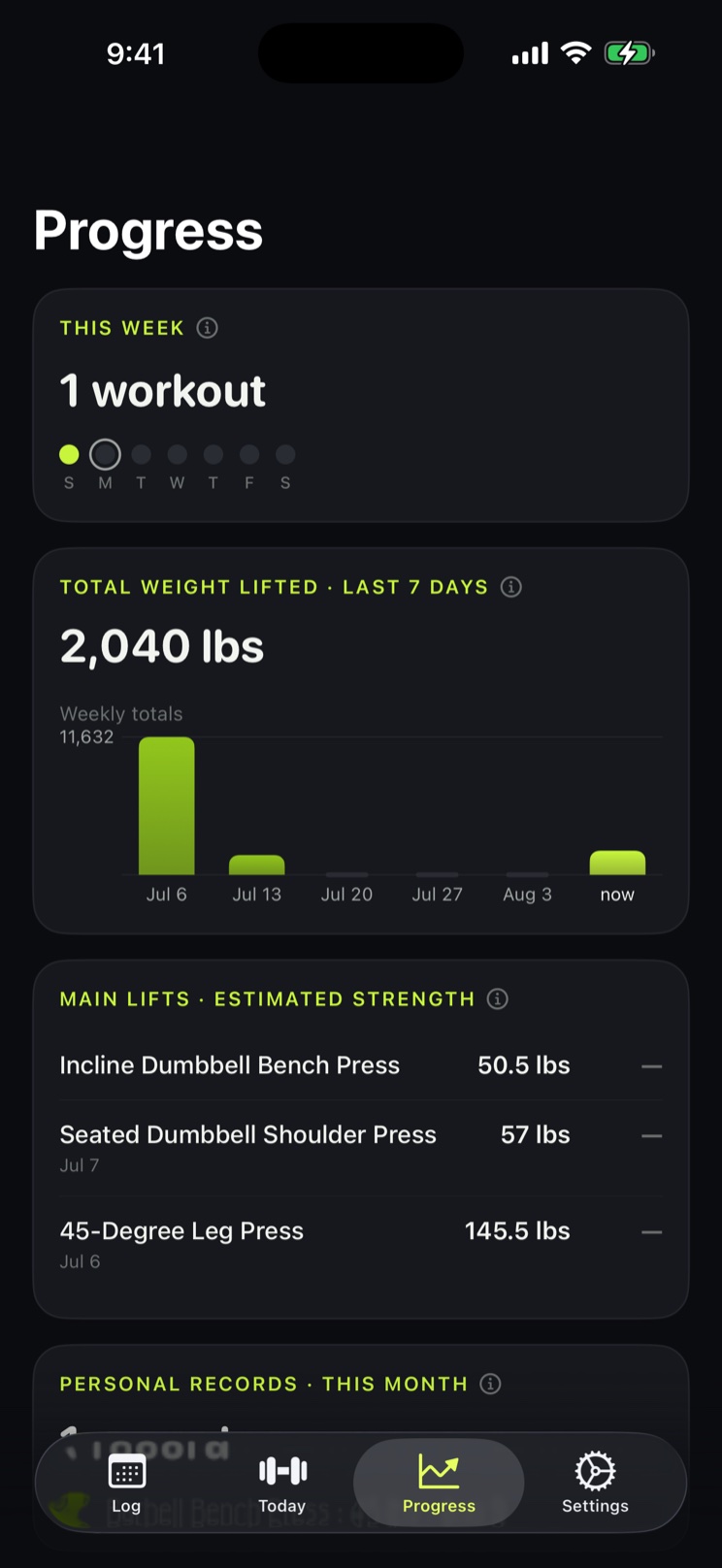
Progress
Proof it is working
Weekly volume, consistency, estimated strength on your main lifts, and the records you have broken.
Chalk, sweat, gloves
The phone stays in your bag
Screens do not work with chalky hands, and reaching for one between sets pulls you out of the session. SayLift moves the whole logging job to one moment at the end: you talk, it writes. Nothing to tap while your rest timer runs down.
How hands-free logging works →
What it costs
SayLift opens with a 3-day free trial that turns on every feature. After that it is a subscription. There is no free tier underneath, so if you want a tracker you never pay for, this is not the one.
In the subscription
- Voice logging: speak the session and the AI writes it down
- The AI progressive-overload coach and the Today page
- Unlimited manual logging and full workout history
- The progress dashboard with personal records
- All 873 exercises with instructions and photos, offline
- Paste-in routine import
- Cloud backup and restore
Price
$49.99/year
Or $7.99 a month, or $3.99 a week. US App Store prices; other countries are set by Apple.
The first 3 days are free and cost nothing if you cancel before they end. Billing runs through your Apple ID, and you cancel in iPhone Settings.
Picking a gym app? Start here
The best iPhone workout tracker, judged by how little you touch it
RoundupFree AI workout coaching, and what it really costs
RoundupFree workout trackers without a paywall, and which ones still qualify
ComparisonAlpha Progression alternative that charges less for progression
ComparisonAlpha Progression vs Hevy
ComparisonFitbod alternative for people who already have a program
Questions
Is SayLift free?
No, not beyond the trial. SayLift is free to download and opens with a 3-day free trial that turns on every feature, including voice logging, the AI coach, all 873 exercises and cloud backup. After those 3 days it is a subscription: $49.99 a year, $7.99 a month or $3.99 a week in the US. There is no free tier underneath the trial, so if you want a tracker you never pay for, SayLift is not it.
How does logging a workout by voice work?
After a set or at the end of your session you hold the mic button in SayLift and just talk: "bench press, three sets of eight at 135, then incline dumbbell press, ten, ten and eight at fifty". The recording goes straight to a multimodal AI model that returns the exercises, sets, reps and weights already structured, and you get a review screen to fix anything before it saves.
Do I have to type anything between sets?
No. That is the point of SayLift. You can log the entire session by speaking once when you are done, instead of tapping through a form after every set. Manual entry is still there when you would rather tap, and it is uncapped.
What phones does SayLift run on?
SayLift is an iPhone app and needs iOS 17 or later. There is no Android version, no web version and no Apple Watch app today.
Can I bring my existing routine over from another app?
Yes. Paste your plan into SayLift as plain text, whether it came from a coach, a spreadsheet, a screenshot you typed out or another app's export, and the AI splits it into training days and matches each movement against the built-in exercise database. You confirm everything on a review screen before it saves.
Does SayLift work without internet?
Mostly. Manual logging, your history, the progress dashboard and all 873 exercises with their instructions and photos are stored on the phone and work with no connection at all. Voice logging and routine import need internet, because they send your recording or text to an AI model.
What does the AI coach actually tell me?
For each exercise you are about to train, SayLift gives one clear instruction based on your own logged history: add weight, hold and chase more reps, take weight off, deload, restart lighter after a long break, or log a first session so it can calibrate. It shows the working weight to use and the rep target to beat.
Does SayLift sync with Apple Health?
Not today. Apple Health support is written but switched off in the shipping version of SayLift, so workouts do not appear in the Health app and readiness data is not read.
Where is my workout data stored?
On your iPhone first. Every screen reads local data, so the app works offline and stays instant. If you sign in, SayLift also mirrors your workouts to your own private cloud space so you can restore them on a new phone. Deleting your account erases both copies.
Your next set is waiting
Stop typing on the gym floor. Say what you lifted and get back to the weights.
Start the free trialOr scan to open it straight on your phone.